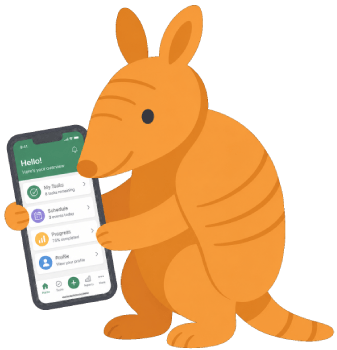
A mobile app your members will actually use
Give your community a branded app experience — announcements, event RSVPs, push notifications, and a message archive, right on their home screen. No app store. No tracking. No extra cost.
Included on every plan. No credit card required to start.
 YOUR COMMUNITY
Your organization, on their home screen
The Formtabulous companion app is a progressive web app — your members install it by tapping one button in their phone browser, and it appears on their home screen with your organization's name and icon. No App Store visit, no approval process, no download to manage.
Once installed, it works like any other app. Push notifications arrive when you publish a new announcement. Upcoming events show up with one-tap RSVP. Every message your organization has ever sent is searchable in the archive. Members can update their own contact information without calling the office.
For your members, it's the easiest way to stay connected. For you, it's one more reason they'll actually read what you send.
How members install it
Open the app link from any email your organization sends, or visit your organization's app URL directly on their phone.
Tap Install App — on Android, a native prompt appears. On iPhone, they follow a two-tap Share → Add to Home Screen flow.
The app icon appears on their home screen with your organization's name. Done.
They log in once with their email address and a one-time code — no password to remember.
Everything your members need, in one place
The companion app gives every member in your organization a single, convenient place to stay connected — without juggling emails, checking a website, or digging through their inbox.
Push notifications
Members are alerted the moment you publish a new announcement or newsletter — no waiting for them to check their inbox. Upcoming event reminders are also supported, so no one misses something important because they forgot to look.
Event RSVPs
Upcoming events appear in the app with one-tap RSVP. Members can respond yes, maybe, or no without hunting for the original invitation email. You see responses in real time in your dashboard.
Message archive
Every announcement, newsletter, and update your organization has ever sent is searchable in the app. Members who missed something can find it themselves — no need to contact the office or forward old emails.
Self-service contact updates
Members can update their own name and email address directly in the app. Your contact list stays current without anyone having to email the board or fill out a paper form. On the web, the same members use the member portal.
Subscription preferences
Members can see which lists they're subscribed to and manage their own preferences — instantly, without contacting your team. Respecting member preferences builds trust and reduces unsubscribe rates.
Member directory (optional)
If your organization has enabled the member directory, members can view and connect with neighbors or fellow members directly in the app. Off by default — fully board-controlled, visible only to authenticated members.
No tracking. No data mining. Just communication.
Many apps collect far more than they need — location data, behavioral patterns, device identifiers — because that data has commercial value to someone. The Formtabulous companion app doesn't work that way.
We collect only what's necessary to deliver the service: the information your members provide when they log in, and the notification tokens needed to push alerts to their devices. We don't track location. We don't build behavioral profiles. We don't sell data to anyone.
For organizations that serve communities built on trust — faith groups, nonprofits, neighborhood associations — that matters. Your members' information is yours. We're just the delivery mechanism.
What we collect — and don't
- Name and email address (provided by the member)
- Push notification token (to deliver alerts)
- RSVP responses and subscription preferences
- Location data — never collected
- Behavioral tracking or usage profiles — never built
- Data sold or shared with third parties — never
Set up in two minutes. Your branding, your colors.
The companion app is configured in your Organization Settings under the Companion App tab. You set the app name that appears under the icon on members' home screens, choose an icon set, and pick your organization's accent color. The preview updates live as you make changes.
Once enabled, you can add a Get the app link to the footer of every outgoing email automatically — so members discover the app naturally as they read your announcements, without needing a separate campaign to promote it.
The companion app is included with every Formtabulous subscription — Free, Starter, Pro, and Team. There is no additional charge, no per-member fee, and no feature gate regardless of which plan you're on.
What you configure
Frequently Asked Questions
app.formtabulo.us/yourslug) in
any announcement, newsletter, or welcome message.
Give your community an app they'll actually open
The companion app is included with every Formtabulous account — free to start, no credit card required. Set up your branding in two minutes and start sending your community to a mobile experience that's yours.
Also serving an HOA or nonprofit? HOA email software → · Nonprofit email software →