Why We Added Website Signup Links for Mailing List Growth
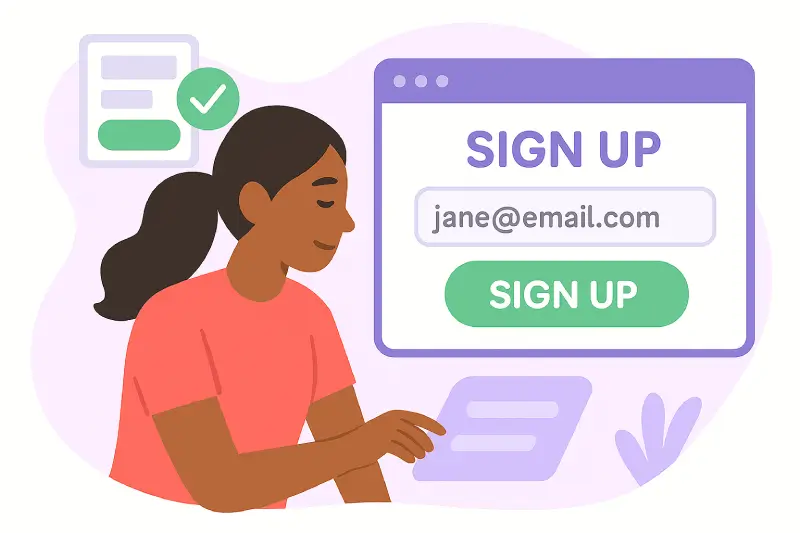
The best mailing list is one where every subscriber chose to be there. Not because someone uploaded a spreadsheet, not because they were added by assumption — but because they found your signup form, scanned your QR code, or clicked a button on your website and said yes. Self-service signup is the foundation of a clean, engaged, compliant list. This guide explains how GroupPost's embeddable signup links work, why the technical details matter, and how every format — from website embeds to in-person QR codes — helps you build the kind of list that actually performs.
TL;DR — Quick Summary
- GroupPost signup links let anyone join your list on their own terms — from your website, a flyer, a print ad, or an event table.
- Email address verification confirms the address is valid and belongs to the person signing up before it's added to your list.
- QR codes are generated for every signup link — print them, display them, scan them at events.
- Advanced button styling lets you match your brand: custom colors, labels, and size.
- Add signups to your site as an inline HTML embed, or use the fixed-position floating button to keep signup accessible on every page without redesigning your layout.
- Self-selected subscribers open emails 35.72% more often and click 4.19% more than single opt-in lists — the list you build this way is measurably more engaged.
Why Self-Service Signup Is the Foundation of a Good List
Most organizations build their mailing list by uploading a spreadsheet — members collected at events, contacts from a database, or names from a sign-in sheet. That approach works, but it has a structural weakness: every person on that list is there because you put them there, not because they explicitly chose to receive your messages.
That distinction matters in three concrete ways:
- Engagement: people who actively signed up for something are more likely to open, read, and act on what you send them. The data is clear — self-selected subscribers open emails at 35.72% vs 27.36% for single opt-in lists, and click through at 4.19% vs 2.36%, according to deliverability research from EmailTooltester.
- Deliverability: when recipients engage with your messages — opening, clicking, not marking as spam — mailbox providers score your domain and sending infrastructure favorably. Higher engagement signals lead to better inbox placement for everyone on your list.
- Compliance: GDPR requires explicit, freely given consent for commercial email. CAN-SPAM requires a clear opt-in mechanism. Self-signup forms create the documented proof of consent that both regulations expect — with timestamps, IP addresses, and the specific form version used.
None of this means you can't also manually add members you know have consented. It means that offering a self-service signup path gives every potential member the cleanest possible entry into your list — and creates the most defensible compliance record.
How GroupPost Signup Links Work
Every GroupPost mailing list gets its own unique signup link. That link opens a hosted signup form where visitors enter their name and email address. From there, GroupPost handles the rest: email verification, list assignment, double opt-in confirmation, and contact management — all automatically, without any spreadsheets to update or approvals to process.
You can share that link anywhere:
- Paste it directly in an email, social media post, or digital newsletter
- Embed the signup form on any page of your website using the provided HTML snippet
- Display the auto-generated QR code at events, on printed materials, or anywhere a phone camera might catch it
- Add the fixed-position floating button so the signup call-to-action stays accessible on every page of your site
Each format serves a different context — but they all connect to the same list, with the same verification process, and they all feed data into the same GroupPost contact management interface.
Email Verification: Why Every Address Is Checked Before It's Added
Before any signup is added to your list, GroupPost verifies the email address. This is one of the most important steps in the entire process — and the one most organizations skip when they collect addresses manually.
What Verification Checks
Email verification confirms two things:
- The address is syntactically valid — not a typo like
name@gmal.comor a placeholder liketest@test.com - The address is deliverable — the domain exists, has valid MX records, and the mailbox is reachable (within the limits of what verification can check without sending a message)
A signup that passes verification goes through the double opt-in process — a confirmation email is sent to the address the person provided, and the contact is only added to your list when they click the confirmation link. This two-step process confirms both that the address works and that the person who owns it genuinely intended to subscribe.
Why This Protects Your Sender Reputation
Every invalid address on your list is a potential hard bounce. Hard bounces — permanent delivery failures because an address doesn't exist or is unreachable — are one of the primary signals that mailbox providers use to evaluate sender reputation. According to 2025 deliverability benchmarks, keeping hard bounce rates below 2% is essential for maintaining inbox placement; above 5%, major ESPs including AWS SES begin placing accounts under review.
Without verification, a signup form is an open door for typos, bot submissions, and addresses that will bounce immediately. With verification, every address that makes it onto your list has been confirmed to be real and deliverable — which means your bounce rate stays low, your sender reputation stays strong, and your future messages to valid addresses arrive reliably.
QR Codes: Taking Your Signup Offline
Every GroupPost signup link automatically generates a corresponding QR code. Scan it with any smartphone camera — no app required — and it opens the signup form directly in the browser.
QR codes bridge the gap between physical presence and digital list-building in ways that a URL alone can't. Someone at your event table isn't going to type a long web address on their phone. But they'll scan a QR code in under two seconds.
Where QR Codes Work Best
- Event tables and booths: print the QR code on a tent card, poster, or banner. Members and visitors scan it while talking to you, before they've walked away and forgotten.
- Printed flyers and newsletters: physical handouts that would otherwise generate no digital follow-through become list-building tools when they include a scannable QR code.
- Window signage and bulletin boards: community organizations can post QR codes in visible locations — church foyers, community centers, school lobbies — inviting anyone who walks by to join the list.
- Presentation slides: end a talk, meeting, or training with your QR code on screen. Interested participants can sign up while the interest is still fresh, without needing to remember a URL.
- Business cards and brochures: any printed material that represents your organization becomes a signup opportunity.
Event marketing data consistently shows that QR codes produce 3–4 times higher engagement rates than standard digital campaigns in in-person contexts — because the barrier to action is a single scan rather than typing, remembering, or searching.
The QR code is downloadable from your GroupPost account and ready to print at any size. It links to the same verified, double opt-in flow as every other signup method — so addresses collected at events go through the same quality filter as addresses collected online.
Deployment Options: Three Ways to Add Signup to Your Site
Every signup link can be deployed in three distinct ways, each suited to a different context. You don't have to choose one — many organizations use all three simultaneously.
Option 1 — Direct Link
The simplest option: a URL you can share anywhere. Paste it in an email, a social media bio, a digital newsletter, or a text message. Clicking opens the hosted signup form directly. No code required, no website needed.
This is the right option when you want to share the signup path quickly without touching any website code — or when your primary audience reaches you through channels other than your website.
Option 2 — Inline HTML Embed
The HTML embed inserts the signup form directly into your page content. Visitors fill it out without leaving the page — no redirect, no pop-up, no separate destination. It renders as part of your site's layout and can be placed anywhere in your HTML: in a sidebar, within an article, on a dedicated "Join our list" page, or at the footer of key content pages.
Advanced button styling lets you control how the form's submit button looks — custom colors, label text, and size — so it fits naturally with your existing brand and site design rather than looking like a third-party widget. The form inherits your page's typography and can be further styled with CSS to match your site's aesthetic exactly.
Option 3 — Fixed-Position Floating Button
The floating button option places a small, persistent signup button at a fixed position on your screen — typically the bottom corner — that stays visible as visitors scroll. Clicking it opens the signup form as an overlay without navigating away from the current page.
This is the option to choose when you want signup to be accessible across your entire site without modifying every individual page template. One snippet of code in your site's header or footer, and every page on your site becomes a potential signup point.
The floating button position, appearance, and label are all configurable — so it doesn't intrude on important page content and matches the visual language of your site.
| Format | Best for | Code required? | Page modification? |
|---|---|---|---|
| Direct link | Email, social media, digital newsletters, text messages | None | None |
| QR code | Printed materials, events, signage, presentations | None (download and print) | None |
| Inline HTML embed | Specific pages where signup is the focus (join page, sidebar, end of articles) | Simple HTML snippet | Target page only |
| Fixed floating button | Site-wide persistent access without per-page changes | One snippet in header/footer | Single global template edit |
Compliance: What Self-Signup Forms Prove
Building your list through self-signup forms isn't just good practice for engagement — it's the foundation of a legally defensible consent record under the major email privacy regulations.
GDPR (European Union)
The GDPR requires that consent for email marketing be "freely given, specific, informed, and unambiguous." GetResponse's GDPR compliance analysis notes that Germany specifically requires double opt-in to prove consent — a standard that several other EU member states have adopted as best practice. GDPR violations can result in fines of up to €20 million or 4% of global annual revenue.
A GroupPost signup form captures:
- The date and time the form was submitted
- The IP address of the submission
- The specific list and form version the person signed up for
- The confirmation click that completed the double opt-in
This creates the documented proof of consent that GDPR requires — and that manually uploaded spreadsheets cannot provide.
CAN-SPAM (United States)
CAN-SPAM requires accurate sender identification, honest subject lines, and a working unsubscribe mechanism in every commercial email. While it doesn't mandate specific opt-in methods, a clear signup form with explicit consent language is the cleanest foundation for a compliant US list.
CASL (Canada)
Canada's Anti-Spam Legislation requires explicit or implied consent before sending commercial electronic messages. Self-signup forms provide the explicit, documented consent that CASL prefers. CASL enforcement has extraterritorial reach — it applies to any organization sending email to recipients in Canada.
Pairing self-signup forms with GroupPost's built-in unsubscribe handling completes the compliance loop: consent is documented on the way in, and opt-out is processed immediately on the way out. Both sides of the regulatory requirement are handled automatically.
The List Quality Impact: What Better Signups Produce
The difference between a manually uploaded list and a self-signup list isn't just philosophical — it shows up directly in measurable engagement metrics.
Those differences compound over time. Higher engagement rates improve your sender reputation score with Gmail, Yahoo, and Outlook — which improves inbox placement for every future send. A list built through verified self-signup doesn't just perform better on day one; it performs better on day 365, because each send is reinforcing positive engagement signals rather than generating spam complaints and bounces from contacts who never wanted to be there.
The unsubscribe side matters equally. GroupPost's built-in unsubscribe handling means any member who wants to leave can do so cleanly, in one click, without creating a spam complaint. Clean exits preserve the quality of the list that stays. Transparent control — easy to join, easy to leave — is what makes the remaining membership genuinely valuable.
Ready to start growing your list the right way?
GroupPost's signup links, QR codes, and embeddable forms let anyone join your list on their own terms — with email verification, double opt-in, and compliance documentation built in. Add the form to your site today, or print your QR code for your next event.
Frequently Asked Questions
What is a self-service email signup link?
A self-service email signup link is a URL that opens a hosted form where visitors can enter their name and email address to join a mailing list. Unlike manually uploaded contact lists, self-service signups give recipients explicit control over their subscription — they're choosing to be there. GroupPost generates a unique signup link for each mailing list, which can be shared as a URL, embedded on a website, displayed as a QR code, or deployed as a floating button across an entire site.
Why does GroupPost verify email addresses before adding them to a list?
Email verification confirms that an address is syntactically valid and deliverable before adding it to your list. Without verification, signup forms can collect typos, placeholder addresses, and bot-submitted entries that will immediately hard-bounce when you send. Hard bounces damage sender reputation, which reduces inbox placement for every future message — even to valid addresses. GroupPost verifies addresses at the point of signup to filter out invalid entries, then uses a double opt-in confirmation email to verify that the address belongs to the person who submitted the form and that they genuinely want to subscribe.
How do I use the QR code for my signup link?
Every GroupPost signup link automatically generates a QR code that you can download and use anywhere a smartphone camera might encounter it. Print it on flyers, display it at event tables, add it to presentation slides, include it on business cards, or post it on bulletin boards. When someone scans it with their phone's camera — no app required — it opens the signup form directly in their browser. The QR code connects to the same verified, double opt-in signup flow as the direct link, so addresses collected in person go through the same quality filter as online signups.
What is the difference between the HTML embed and the floating button?
The HTML embed inserts the signup form as an inline element within a specific page — in a sidebar, at the end of an article, or on a dedicated signup page. It requires adding a code snippet to that specific page. The fixed-position floating button places a persistent, always-visible signup button at a fixed position on the screen (typically a corner), which stays accessible as visitors scroll through any page. It requires adding one code snippet to your site's global header or footer template. The floating button is the better choice when you want signup to be accessible across your entire site without modifying individual pages; the inline embed is better when you want signup integrated within specific page content.
Is double opt-in required for GDPR compliance?
Double opt-in is not explicitly required by GDPR for most EU member states, but it is required by law in Germany and strongly recommended by data protection authorities in Austria, Norway, Greece, and the Netherlands. More importantly, double opt-in creates a documented proof of consent — with timestamps, IP addresses, and confirmed subscriber intent — that is significantly more defensible than a single-step form when regulatory questions arise. GDPR requires that consent be "freely given, specific, informed, and unambiguous," and double opt-in is the cleanest way to demonstrate all four. GroupPost's double opt-in process also verifies email addresses, which improves list quality and deliverability regardless of compliance requirements.
Can I customize the appearance of the signup button?
Yes. GroupPost's advanced button styling lets you customize the submit button's color, label text, and size to match your brand and site design. The form inherits your page's typography by default and can be further styled with CSS. For the floating button, the position, label, and visual appearance are all configurable. The goal is for the signup element to feel like a natural part of your site rather than an obviously third-party widget.
Do subscribers who sign up through the form automatically get an unsubscribe option?
Yes. Every message sent through GroupPost automatically includes an unsubscribe link. When a subscriber clicks it, they are immediately removed from the list — with the opt-out recorded in GroupPost's contact management interface. This automatic, one-click unsubscribe mechanism is required by CAN-SPAM, GDPR, and CASL, and it's also a deliverability protection: subscribers who want to leave can exit cleanly rather than marking your message as spam, which would damage sender reputation for everyone else on the list.