Bounce Codes Explained: Mimecast, SES, SMTP & More
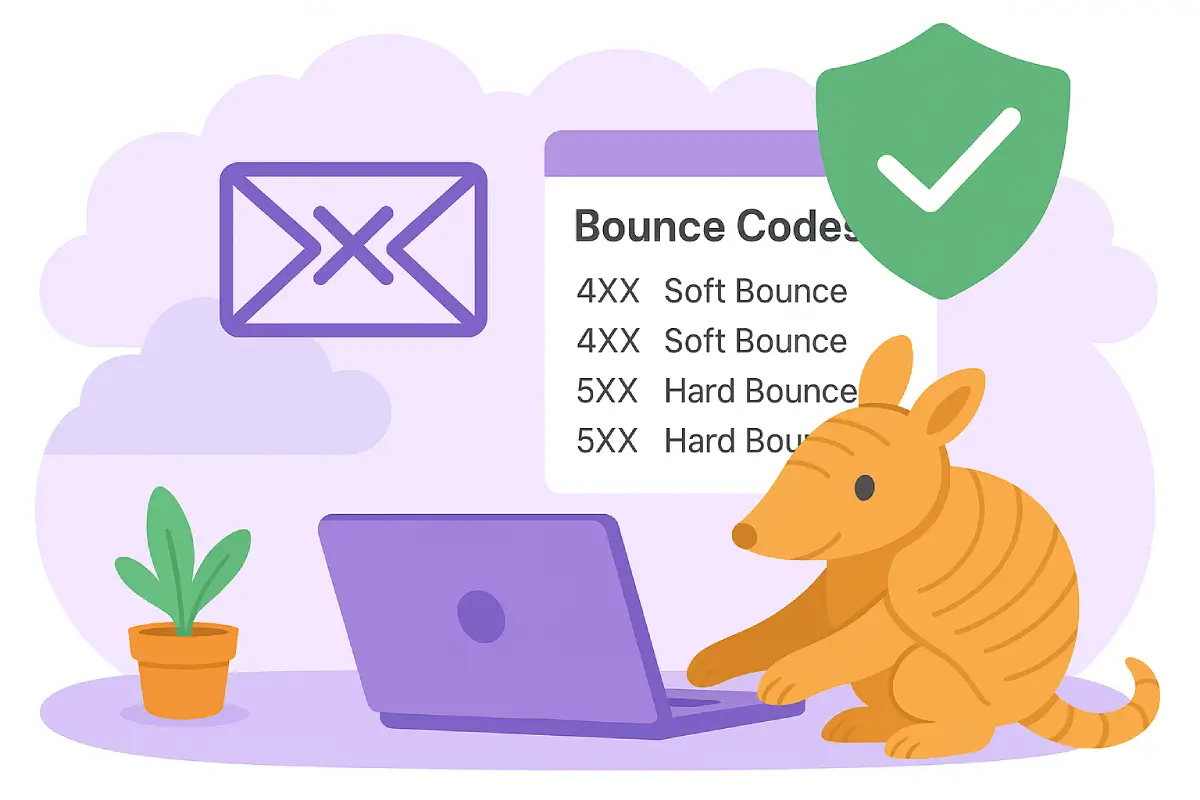
A hard bounce means permanent delivery failure — the address is gone, blocked, or never existed.
A soft bounce means temporary failure — try again later. Both come back as SMTP status codes:
5.x.x for permanent, 4.x.x for temporary. This guide explains every major
email bounce code, what each one means, how platforms like Amazon SES and Mimecast
classify them, and exactly what to do when you see them.
TL;DR — Quick Summary
- Hard bounce (5xx): permanent failure — suppress the address immediately.
- Soft bounce (4xx): temporary failure — retry, then suppress after repeated failures. Thresholds vary widely: Mailchimp allows 7 to 15.
- 550 5.1.1 = address doesn't exist. 550 5.7.1 = policy/auth block. 421 4.7.0 = rate limited.
- Mimecast adds its own bounce classification layer on top of raw SMTP codes.
- Amazon SES normalizes bounces into
Permanent,Transient, andUndeterminedtypes. - Industry benchmark: keep your hard bounce rate below 2% to protect sender reputation.
- GroupPost handles bounce suppression, classification, and list hygiene automatically.
What Is an Email Bounce?
An email bounce is a failure notification returned by a receiving mail server during or after the SMTP delivery handshake. When delivery can't be completed, the remote server sends back a structured response containing:
- A 3-digit SMTP status code — e.g.,
550,421,452 - An enhanced status code — a dotted extension like
5.1.1or4.7.0that narrows the failure category - A human-readable diagnostic message — e.g., "User unknown" or "Message temporarily deferred"
Bounces can originate from mailbox providers (Gmail, Outlook, Yahoo), corporate mail servers, or security gateways such as Barracuda, Mimecast, or Proofpoint. The underlying classification framework is the same across all of them: the first digit of the status code tells you whether the failure is permanent or temporary.
One common source of bounces deserves its own mention: sending to a large group from a personal inbox. Gmail, Outlook, and Yahoo all cap how many recipients you can reach per day, and crossing those limits produces rate-limiting deferrals and silent partial delivery rather than a clean error. Our guide to BCC limits in Gmail, Outlook, and Yahoo covers the specific caps and the failure modes they produce.
Understanding bounce codes is not just technical housekeeping. According to Amazon SES's sender reputation guidance, high bounce rates are one of the primary signals that can cause a sending account to be paused or shut down. The same logic applies across all major ESPs and mailbox providers.
Hard Bounces vs Soft Bounces — The Core Distinction
Every email bounce falls into one of two categories. Getting this distinction right determines how your list management system should respond.
| Type | SMTP Code Range | Meaning | Action |
|---|---|---|---|
| Hard Bounce | 5xx |
Permanent failure — address invalid, blocked, or domain gone | Suppress immediately, do not retry |
| Soft Bounce | 4xx |
Temporary failure — mailbox full, server overloaded, greylisted | Retry with backoff; suppress after repeated consecutive failures |
Is SMTP Authentication Failure a Hard Bounce or Soft Bounce?
SMTP authentication failures are typically hard bounces (permanent failures) when they result from SPF, DKIM, or DMARC policy violations. The specific code determines the classification:
- 550 5.7.1 — Hard bounce. SMTP authentication failed and the receiving server has a policy to reject (not defer) unauthenticated mail from your domain.
- 550 5.7.26 — Hard bounce. DMARC failure with a reject policy. The domain's DMARC record tells receiving servers to permanently reject unauthenticated messages.
- 451 4.7.1 — Soft bounce. Temporary authentication-related deferral, often seen with greylisting or temporary policy holds.
Key distinction: A 5xx authentication failure means "we checked your credentials and you're permanently blocked." A 4xx authentication failure means "we're temporarily holding this while we verify."
To prevent authentication-related bounces, verify your domain's SPF, DKIM, and DMARC records are correctly configured using the GroupPost email health checker before sending.
Hard Bounces (Permanent Failures)
A hard bounce is a permanent, unrecoverable delivery failure. The receiving mail server is telling you definitively: this message cannot and will not be delivered.
Common causes:
- The email address doesn't exist (user unknown)
- The recipient mailbox has been disabled, deleted, or abandoned
- The recipient's domain doesn't exist or has no valid MX records
- The receiving server has permanently blocked your sending identity by policy
- SPF, DKIM, or DMARC authentication failure on a strict-reject policy
Hard-bouncing addresses must be suppressed immediately. Every subsequent send to a known hard-bounce address signals to mailbox providers that your list quality is poor — accelerating reputation damage and increasing the likelihood that your future messages, even to valid addresses, land in spam.
Soft Bounces (Temporary Failures)
A soft bounce is a temporary failure. Delivery didn't succeed this time, but the address may be valid and the condition may resolve on its own.
Common causes:
- Mailbox full or over storage quota
- Receiving server temporarily unavailable or overloaded
- Greylisting — the server defers first-contact messages as a spam screen
- Rate limiting or reputation throttling — the provider is slowing your inbound volume
- Message too large for the recipient's server configuration
Soft bounces don't always indicate a problem with the address itself. Many are recipient-side conditions that resolve without any action on your part. That said, persistent soft bounces — the same address failing 3, 4, 5 times in a row — often signal an address that is effectively inactive, even if it hasn't generated a hard bounce yet.
Hard Bounce Codes (5xx) — Complete Reference
The following are the most common hard bounce codes you'll encounter across Gmail, Outlook,
Yahoo, and corporate mail environments. All are represented by SMTP 5xx status codes,
indicating permanent failure.
550 — Permanent Rejection (Most Common Hard Bounce)
550 is the most frequently seen hard bounce code. The receiving server has rejected the message
permanently. The enhanced sub-code narrows the reason:
| Code | Meaning | Typical Provider Message | Action |
|---|---|---|---|
550 5.1.1 |
Address doesn't exist | "The email account that you tried to reach does not exist." | Suppress immediately |
550 5.1.0 |
Address rejected (general) | "Address rejected." | Suppress immediately |
550 5.1.2 |
Bad destination mailbox address | "Invalid address" | Suppress immediately |
550 5.1.10 |
Recipient domain not found | "Domain not found" / "No MX record" | Suppress immediately |
550 5.2.1 |
Mailbox disabled | "Mailbox disabled for this recipient" | Suppress immediately |
550 5.2.0 |
Mailbox inactive | "Mailbox inactive / no longer accepting mail" | Suppress immediately |
550 5.7.1 |
Policy rejection / auth failure | "Message rejected due to policy" / "Permission denied" / "Delivery not authorized" | Hard bounce — check SPF/DKIM/DMARC authentication; suppress if persistent |
550 5.7.26 |
DMARC failure (unauthenticated) | "This mail has been blocked because the sender is unauthenticated. Gmail requires all senders to authenticate with either SPF or DKIM." Google's current reference documents the 421 and 451 variants of 4.7.26; the 550 form appears in live bounces. | Fix DMARC alignment; use email health checker |
550 5.7.23 |
SPF validation failed | "SPF validation failed" | Fix SPF record |
Understanding 550 5.7.1 — The Most Common Authentication Bounce
550 5.7.1 is one of the most frequently encountered hard bounces for senders with authentication issues. The full error message typically reads:
550 5.7.1 Delivery not authorized, message refusedor
550 5.7.1 Message rejected due to local policyThis code means the receiving mail server checked your message's authentication (SPF, DKIM, DMARC) and found it failed to meet their acceptance policy. Common root causes:
- SPF failure: Your sending IP is not authorized in your domain's SPF record
- DKIM failure: Message signature missing or invalid
- DMARC reject policy: Your domain publishes
p=rejectand authentication failed - Blocklist: Your sending IP or domain appears on the recipient's blocklist
- Content policy: Message content violated the receiving organization's policy rules
How to fix 550 5.7.1 bounces: Run the GroupPost domain health checker to verify SPF, DKIM, and DMARC records are correctly published and aligned. If authentication is correct but 550 5.7.1 persists for a specific domain, contact that domain's mail administrator — the block is at their policy level, not your sending infrastructure.
The five Gmail messages that share code 550 5.7.1
Google documents several distinct rejections under this single code, and the wording tells you which problem you actually have. Match the text in your bounce against this list:
| Documented message | What it means and what to do |
|---|---|
| "This message is likely unsolicited email." | Spam classification on content. Review the message body, links, and formatting. |
| "This message is likely suspicious due to the very low reputation of the sending IP address." | Your sending IP is the problem, not the message. Common on new or shared infrastructure. |
| "This message is likely suspicious due to the very low reputation of the sending domain." | Domain-level reputation. Check complaint rates and whether your domain has been used for spam. |
| "Messages missing a valid Message-ID: header are not accepted." | A formatting bug in your sending software, not a reputation issue. Fixable immediately. |
| "Messages missing a valid address in the From: header ... are not accepted." | Malformed From: address. Also a software bug rather than a deliverability problem. |
Wording from Google's Gmail SMTP error reference. The last two are worth recognising because they look like deliverability failures and are actually header bugs — no amount of reputation work will fix them.
551, 552, 553, 554 — Other Permanent Failures
| Code | Meaning | Notes |
|---|---|---|
551 5.1.6 |
User not local / invalid recipient | Address exists but cannot be relayed from this server |
552 5.2.2 |
Mailbox full (hard) | Some providers return 552 (permanent) instead of 452 (temporary) for over-quota mailboxes |
553 5.1.3 |
Invalid sender address format | Often a DMARC policy violation or malformed From: header |
553 5.7.1 |
Relaying denied | The receiving server won't relay mail for this sender |
554 5.7.1 |
Message rejected as spam | Content filter or reputation score triggered a block |
554 Transaction failed |
Broad policy failure | Catch-all for policy-based permanent rejections; check content and authentication |
What Does "550 — Hard Bounce Deferred" Mean?
You may occasionally see error descriptions that pair a hard bounce code with language like "deferred." This is not a contradiction — it reflects a two-phase process some platforms use:
- The receiving server initially returns a
5xxcode, indicating permanent failure. - Your sending system (or ESP) defers the final suppression action briefly while it verifies whether the bounce is genuine or a transient misclassification.
- After the deferral window expires without a successful retry, the address is confirmed as a hard bounce and suppressed.
In practice: if the underlying SMTP code is 5xx, the message will never be delivered. The
"deferred" label describes your platform's internal queue management, not the ultimate delivery outcome.
Treat it as a hard bounce.
Soft Bounce Codes (4xx) — Complete Reference
4xx codes are temporary failures. The receiving server is asking your mail system to try again
later. Most sending platforms retry automatically with exponential backoff over 24–72 hours.
421 — Service Temporarily Unavailable / Rate Limited
421 is the most important soft bounce code for high-volume senders. It almost always means
the receiving server is actively limiting or throttling your inbound traffic.
| Code | Meaning | Common Context |
|---|---|---|
421 4.7.0 |
Temporary server error / try again later | Generic throttle; reduce send rate |
421 4.7.28 |
"Gmail has detected this sender exceeded the quota for sending messages that have the same Message-ID" | Gmail-specific. Not a reputation problem — your sending software is reusing Message-ID headers across messages. Generate a unique one per message. |
421 4.7.650 |
Too many connections from your IP | Reduce connection concurrency |
450 / 451 — Mailbox or Server Temporarily Unavailable
| Code | Meaning | Notes |
|---|---|---|
450 4.2.0 |
Mailbox temporarily unavailable | Retry; often resolves within hours |
450 4.7.1 |
Greylisted — please try again later | Standard greylisting; retry after 5–15 minutes typically succeeds |
451 4.3.0 |
Temporary server failure | Receiving MTA internal error; retry |
451 4.4.5 |
Too many connections | Receiving server overloaded; reduce connection rate |
451 4.4.316 |
Connection timed out | Network issue between sending and receiving server |
451 4.7.1 |
Temporary local problem / deferred | Broad temporary deferral — often reputation-related throttle |
452 — Insufficient Resources
| Code | Meaning | Notes |
|---|---|---|
452 4.2.2 |
Mailbox full / over quota | Most common soft bounce for active but full mailboxes; retry is reasonable |
452 4.3.1 |
Insufficient system storage on receiving server | Server-side capacity issue; retry |
452 4.5.3 |
Too many recipients | Message exceeded per-transaction recipient limit; split the send |
"Denied by Policy" — Hard or Soft Bounce?
You may see bounce descriptions reading "denied by policy" paired with either a 4xx
or 5xx code. The code is what matters:
- 550 5.7.1 — denied by policy: hard bounce. The receiving server has a standing rule refusing your mail — often due to SPF/DKIM/DMARC failure or domain reputation. Investigate authentication and blocklist status via the GroupPost email health checker.
- 451 4.7.1 — denied by policy: soft bounce. The server is applying a temporary policy hold — common with greylisting, rate throttling, or reputation holds that lift over time.
How Amazon SES Classifies Email Bounces
When you use Amazon Simple Email Service (SES) as your sending infrastructure, bounce notifications are normalized into a structured JSON event delivered via Amazon SNS, EventBridge, or a webhook. SES provides both the raw SMTP codes from the receiving mail server and its own higher-level classification.
As documented in
Amazon SES's notification contents reference,
every bounce event includes a bounceType and bounceSubType:
SES Bounce Types
| SES bounceType | Equivalent | Meaning | Action |
|---|---|---|---|
Permanent |
Hard bounce | Delivery permanently failed — address invalid, blocked, or domain gone | Suppress immediately |
Transient |
Soft bounce | Delivery temporarily failed — mailbox full, server busy, greylisted | Retry; suppress after repeated failures |
Undetermined |
Unknown | SES could not classify the failure from the remote server's response | Treat conservatively as soft bounce; escalate if recurring |
SES Bounce Subtypes
| Subtype | Type | Meaning |
|---|---|---|
General |
Permanent or Transient | The only subtype AWS documents under both bounce types — check the bounceType field and the raw SMTP diagnostic to tell which |
NoEmail |
Permanent | Address doesn't exist (equivalent to 550 5.1.1) |
Suppressed |
Permanent | Address is on SES's account-level suppression list from prior bounces |
OnAccountSuppressionList |
Permanent | You have manually added this address to your suppression list |
MailboxFull |
Transient | Equivalent to 452 4.2.2 — over quota |
MessageTooLarge |
Transient | Message exceeded the recipient server's size limit |
ContentRejected |
Transient | Content scanning rejection; may succeed after content adjustment |
AttachmentRejected |
Transient | Attachment type or size rejected by the receiving server's policy |
Important SES reputation note: According to Amazon's SES enforcement FAQ, SES will place a sending account under review when its bounce rate exceeds 5%, and may pause sending if it exceeds 10%. The recommended operational target is to keep hard bounces below 2% at all times.
Mimecast Bounce Classification
Mimecast is one of the most widely deployed email security gateways in enterprise environments. When your outbound email passes through Mimecast — either your own organization's Mimecast gateway, or your recipient's — the bounce messages and classifications you receive may differ from raw SMTP codes.
Mimecast processes bounces at multiple layers and surfaces them with its own terminology in the Mimecast Administration Console and message tracking interface.
What Does Mimecast "Bounce - Recipient Is Not Allowed" Mean?
Bounce - Recipient Is Not Allowed is a Mimecast classification distinct from "Rejected by Reviewer" and worth telling apart from it. Where a reviewer rejection means a person made an active decision after your message was already held, "Recipient Is Not Allowed" means the address itself was never permitted to receive external mail in the first place — a policy decision, set before your message ever arrived, rather than a judgment call on this specific send.
Common underlying causes:
- The mailbox is restricted to internal-only mail — a common setup for shared, functional, or no-reply addresses that were never meant to receive mail from outside the organization
- The recipient's Mimecast policy blocks external senders for that specific address or group
- The address exists in the recipient's directory but has been deliberately excluded from receiving inbound mail from unknown or unapproved senders
Because this is a standing policy rather than a one-time review decision, retrying the send will not help — the outcome is set for every message to that address, not just yours. If a real contact at that organization is expecting your email, the fix is the same as with a reviewer rejection: someone there needs to either use a different, externally-reachable address, or have their administrator adjust the policy for that mailbox.
What Does "Bounce - Rejected by Reviewer" Mean?
Bounce - Rejected by Reviewer is one of the most common Mimecast bounce classifications. This specific error message appears when:
Hard Bounce — Bounce - Rejected by ReviewerMimecast's own documentation lists the full reason as "Rejected by Reviewer or an Administrator", and defines it precisely: an administrator rejected the message from the hold queue.
That wording matters, because it tells you the sequence. Your message reached the recipient's Mimecast gateway and was accepted. A policy then placed it in a hold queue for review rather than delivering it. A person at that organization — an administrator or an authorized reviewer — subsequently looked at the held message and declined to release it.
The policy that caused the hold and the decision to reject are two separate steps, and the bounce reason only describes the second one. It does not tell you which policy held the message. Only the recipient's administrator can see that, in Mimecast's message tracking.
Why Does "Rejected by Reviewer" Happen?
A message can be held for review for many reasons — attachment type, URL inspection, impersonation checks, a content examination rule, or simply a policy requiring approval for unfamiliar senders. Mimecast's documentation does not tie this bounce reason to any particular detection mechanism, so treat any claim about the specific trigger with caution unless it comes from the recipient's own administrator.
What Does "Expired in Queue - Rejected by Housekeeping" Mean?
The same hold queue, with a different ending. Mimecast holds the message for review, nobody releases it, and after 14 days an automated cleanup process removes it and generates the bounce.
This one is worth recognising because it means nobody actively rejected your message. It sat waiting for a decision that never came. If a contact at that organisation is expecting your email, they can often get it released — but only inside that fortnight.
Mimecast Bounce Types Reference
| Mimecast Classification | Type | Meaning |
|---|---|---|
| Rejected by Reviewer or an Administrator | Final | An administrator rejected the message from the hold queue |
| Expired in Queue - Rejected by Housekeeping | Final | A held message expired after 14 days and was removed automatically |
| Recipient Email Address is Possibly Incorrect | Final | The address was not accepted by the recipient's directory |
| Recipient Is Not Allowed | Final | A standing policy blocks this address from receiving external mail — not a one-time review decision |
| Recipient Mailbox is Full | Retryable | Over quota at the destination |
| Recipient Server Unavailable | Retryable | Destination server not reachable during the retry window |
| Connection Refused / Connection Timed Out | Retryable | Connectivity failure between mail servers |
| Message Bounced - Spam Signature Policy | Final | Matched a spam signature policy |
| Message Deleted Due to Content Examination Policy | Final | Blocked by a content examination rule |
| Message Deleted Due to Impersonation Protect Policy | Final | Flagged by Mimecast's impersonation protection |
Bounce reasons above are drawn from Mimecast's Bounced Messages documentation. Mimecast does not publish an exhaustive catalogue, so you may encounter reasons not listed here.
If you're consistently seeing "Rejected by Reviewer" bounces for a specific recipient organization, the path forward is to contact that organization's IT or mail administrator — not to change your list or ESP. The block is at their gateway, not at the mailbox level.
Mailchimp and ESP-Specific Bounce Classifications
Email service providers (ESPs) like Mailchimp, Constant Contact, Campaign Monitor, and others add their own classification layer on top of raw SMTP codes. The most commonly searched is Mailchimp.
Mailchimp: "Hard Bounce — MC Returned No SMTP Detail"
You may encounter a bounce reason worded like this in a Mailchimp report:
Hard Bounce — MC Returned No SMTP DetailMailchimp does not document this exact string in its published help articles, so treat the wording as approximate. The underlying condition is documented, though: Mailchimp notes that some receiving servers do not return properly formatted SMTP replies, which leaves it without a usable status code or diagnostic message to classify against.
When that happens, the bounce is treated as a hard bounce rather than left unclassified — the conservative choice, since an unclassifiable failure is more likely to be permanent than temporary.
Possible underlying causes:
- The receiving mail server returned a non-standard or malformed SMTP response
- The connection was dropped before a full SMTP status could be transmitted
- A security gateway (like Mimecast or Proofpoint) intercepted and terminated the SMTP session without returning a standard code
- The recipient domain's MX server is poorly configured
Because Mailchimp classifies these conservatively as hard bounces, the affected address will typically be suppressed from future sends. You can review individual bounced addresses in Mailchimp's audience activity log and manually re-subscribe addresses you believe were incorrectly suppressed — but do so judiciously.
Common ESP Bounce Code Terminology
| ESP | Their Term | Equivalent | Notes |
|---|---|---|---|
| Mailchimp | Hard Bounce | 5xx permanent | Address permanently suppressed after 1 hard bounce |
| Mailchimp | Soft Bounce | 4xx temporary | Converted to hard bounce and cleaned after 7 soft bounces (no prior activity) or up to 15 (with prior activity) |
| Amazon SES | Permanent | Hard bounce | Suppress immediately; counts against bounce rate |
| Amazon SES | Transient | Soft bounce | SES retries automatically |
| SendGrid | Bounce | Hard bounce | Added to SendGrid's bounce suppression list |
| SendGrid | Deferred | Soft bounce | Retried for up to 72 hours from first deferral, then added to the block list |
| Postmark | HardBounce | Hard bounce | Suppressed automatically |
| Postmark | SoftBounce | Soft bounce | Not auto-suppressed; the bounce record carries a CanActivate flag indicating recoverability |
Email Bounce Rate Benchmarks
Knowing your own bounce rate is only useful in context. Here are the thresholds that matter:
| Hard Bounce Rate | Status | Implication |
|---|---|---|
| < 0.5% | ✅ Excellent | List is clean and well-maintained |
| 0.5% – 2% | ⚠️ Acceptable | Monitor closely; begin list hygiene review |
| 2% – 5% | 🔴 Dangerous | Reputation damage underway; ESPs may flag the account |
| > 5% | 🚨 Critical | Amazon SES places accounts under review; other ESPs may suspend sending |
| > 10% | 🚫 Suspension risk | Amazon SES may pause sending; expect deliverability collapse across all providers |
The 5% review and 10% pause thresholds are published in the Amazon SES enforcement FAQ. The 2% operational target is a widely shared convention across deliverability guidance rather than a published limit from any single provider — treat it as a working ceiling, not a hard line. Verify current thresholds against your own provider's documentation, since these change.
How Many Soft Bounces Before You Suppress an Address?
Hard bounces are simple: suppress immediately, no exceptions.
What Does "Suppress Bounces from This Recipient" Mean?
Suppressing a bounced address means adding it to a permanent or temporary exclusion list that prevents future send attempts. When an ESP or sending platform says "suppress bounces from this recipient," it means:
- The address will be automatically skipped in all future campaigns
- No send attempt will be made (protecting your sender reputation)
- The address remains in your contact database but is marked as "suppressed" or "do not send"
- You can manually unsuppress addresses if you believe they were incorrectly classified
Why suppression matters: Every time you send to a known hard-bounce address, mailbox providers see it as a signal that your list quality is poor. Repeated sends to invalid addresses accelerate reputation damage and increase the likelihood that your future messages — even to valid addresses — land in spam or get blocked entirely.
Hard bounce suppression: Permanent and immediate. Once an address hard bounces with a 5xx code, it should never receive another message from your sending domain.
Soft bounce suppression: Conditional, and the thresholds are more generous than most people assume.
- Hard bounce: suppress after 1 occurrence.
- Soft bounce: Mailchimp converts a soft bounce to a hard bounce after
7 soft bounces for a contact with no prior activity, and up to 15
for a contact who has engaged before. SendGrid retries a deferred message for up to
72 hours from the first deferral before blocking the address. Postmark does not
auto-suppress soft bounces at all — the bounce record carries a
CanActivateflag instead.
Figures from Mailchimp's soft vs hard bounce documentation, SendGrid's delivery deferrals guide, and Postmark's bounce documentation.
"Consecutive" is the important word in all of these. A single soft bounce followed by successful delivery means the address is valid and the condition was genuinely temporary. An address that soft-bounces on seven sends in a row almost certainly reflects a mailbox that is permanently full, deactivated, or behind a gateway that won't accept your mail.
Some additional suppression considerations:
- Time window: some platforms reset the soft-bounce counter if a successful delivery occurs within a defined window (30–90 days). This is good practice — it doesn't penalize addresses that genuinely had a temporary issue long ago.
- Bounce type matters: a
452 4.2.2(mailbox full) might deserve more retries than a421 4.7.28(reputation throttle from Gmail), which is often a signal to slow down your entire sending pace rather than suppress the address. - Greylisted addresses:
450 4.7.1greylisting typically resolves on the first retry after a few minutes. Don't count greylisting retries toward your soft-bounce threshold.
Why Bounce Handling Matters for Email Deliverability
Proper bounce handling is one of the clearest signals you send to mailbox providers that you are a legitimate sender who respects recipients' inboxes:
- You stop sending to addresses that are proven invalid — reducing wasted traffic and noise.
- You avoid hammering servers that are temporarily overloaded or throttling you.
- You can distinguish between a reputation-related soft bounce (requiring action on your sending patterns) and a simple mailbox-full condition (requiring only patience).
- You maintain a cleaner list, which improves open and click rates — engagement signals that directly improve inbox placement over time.
Google's Gmail Bulk Sender Guidelines explicitly call out high bounce rates as a reason messages are routed to spam or rejected entirely. Microsoft's Outlook.com Policies, Practices, and Guidelines similarly cite unmanaged bounce rates as a signal used by SmartScreen filtering.
The compounding effect is significant: a sender with a clean list and low bounce rates earns gradually expanding inbox placement. A sender who ignores bounces faces the opposite — throttling compounds, more messages land in spam, and eventually domain and IP reputation becomes difficult to recover.
Want bounce handling taken care of automatically?
GroupPost is designed for teams, nonprofits, and communities sending real email to real people. It automatically classifies hard bounces, tracks soft bounce thresholds, handles suppression, and surfaces delivery analytics — so you can focus on your message, not your SMTP logs.
Before your next send, check whether your domain's authentication is ready with the free GroupPost email health checker — it validates SPF, DKIM, DMARC, MX records, and blocklist status in seconds.
Frequently Asked Questions About Email Bounce Codes
What is a hard bounce in email?
A hard bounce is a permanent email delivery failure indicated by a 5xx SMTP status code. It means the receiving mail server has definitively rejected the message — typically because the address doesn't exist, the mailbox is disabled, the domain has no valid MX records, or the sender has been permanently blocked by policy. Hard-bounced addresses should be suppressed from all future sends immediately.
What is a soft bounce in email?
A soft bounce is a temporary email delivery failure indicated by a 4xx SMTP status code. Common causes include a full mailbox (452 4.2.2), a temporarily unavailable server (421 4.7.0), greylisting (450 4.7.1), or rate limiting. Soft bounces should be retried automatically with exponential backoff. Suppression thresholds vary by platform and are more generous than most people expect — Mailchimp allows 7 consecutive soft bounces for a contact with no prior activity and up to 15 for one who has engaged before.
What does the 550 5.1.1 email bounce code mean?
550 5.1.1 is the most common hard bounce code. It means the recipient's email address does not exist on the receiving mail server. The address may have been typed incorrectly, deactivated, or never existed. Addresses that return 550 5.1.1 should be removed from your sending list immediately — retrying them has no effect and damages your sender reputation with each attempt.
What does "denied by policy" mean as a bounce?
A "denied by policy" bounce can be either hard or soft depending on the SMTP code. If it returns 550 5.7.1 (or any 5xx code), it is a hard bounce — the receiving server has a standing rule refusing your mail due to authentication failure, blocklist status, or content policy. If it returns 451 4.7.1 (or any 4xx code), it is a soft bounce — a temporary policy hold such as greylisting or a reputation-based throttle that may lift over time.
What does "Hard Bounce — MC Returned No SMTP Detail" mean in Mailchimp?
Mailchimp does not document this exact string in its published help articles, so treat the wording as approximate. The underlying condition is documented: some receiving servers do not return properly formatted SMTP replies, leaving Mailchimp without a usable status code to classify against. When that happens the bounce is treated as a hard bounce rather than left unclassified — the conservative choice, since an unclassifiable failure is more likely permanent than temporary. Possible causes include a non-standard SMTP response, a connection drop before the full status was transmitted, or a security gateway terminating the session without returning a standard code.
What is a Mimecast "Rejected by Reviewer" hard bounce?
Mimecast documents this as "Rejected by Reviewer or an Administrator" and defines it as an administrator rejecting the message from the hold queue. Your message reached the recipient's gateway and was accepted, a policy placed it in a hold queue instead of delivering it, and a person at that organization then declined to release it. The bounce reason does not identify which policy caused the hold — only the recipient's administrator can see that. Treat it as a final failure for that send, but note the address itself is usually valid: the block is organizational, so every address at that company will behave the same way. The practical route forward is to ask a contact there to have their administrator review the hold and allow-list your domain if appropriate.
What does "550 — Hard Bounce Deferred" mean?
"Hard bounce deferred" is not a contradiction — it describes a two-stage process in some sending platforms. The receiving server returned a 5xx permanent rejection. Your sending platform briefly deferred the final suppression action while verifying the bounce was genuine rather than a transient misclassification. After the deferral window expires, the address is confirmed as a hard bounce and suppressed. The underlying 5xx code means the message cannot be delivered, regardless of the deferral label. Treat it as a hard bounce.
What is a good email bounce rate?
A hard bounce rate below 0.5% is considered excellent. Rates between 0.5% and 2% are acceptable but warrant list hygiene attention. Above 2%, sender reputation damage accelerates significantly. Amazon SES places accounts under review at a 5% bounce rate and may pause sending above 10%. The industry-standard operational target is to keep hard bounces below 2% at all times.
What does "suppress bounces from this recipient" mean?
Suppressing a bounced address means adding it to an exclusion list that prevents future send attempts. The address stays in your contact database but is automatically skipped in all campaigns. Hard bounces (5xx codes) should be suppressed immediately and permanently. Soft bounce handling varies by platform: Mailchimp cleans an address after 7 to 15 consecutive soft bounces depending on prior engagement, SendGrid blocks after 72 hours of deferrals, and Postmark does not auto-suppress soft bounces at all. Suppression protects sender reputation by preventing repeated sends to invalid addresses.
Is SMTP authentication failure a hard bounce or soft bounce?
SMTP authentication failures are typically hard bounces (5xx codes). A 550 5.7.1 code means SPF, DKIM, or DMARC authentication failed and the receiving server permanently rejected the message due to policy. A 550 5.7.26 indicates DMARC failure with a reject policy. These are permanent failures requiring authentication fixes, not retries. A 451 4.7.1 is a soft bounce — a temporary authentication-related hold that may resolve on retry.
What does 550 5.7.1 bounce code mean?
550 5.7.1 is a hard bounce indicating "delivery not authorized" or "message rejected due to policy." It means the receiving mail server checked your authentication (SPF, DKIM, DMARC) and rejected the message permanently. Common causes include SPF failure (sending IP not authorized), DKIM signature missing or invalid, DMARC reject policy violation, or your domain/IP appearing on a blocklist. Fix by verifying authentication records and checking blocklist status.
What are AWS bounce codes?
AWS bounce codes refer to Amazon SES's classification system for email bounces. SES normalizes SMTP bounce responses into three bounceType categories: Permanent (hard bounce, suppress immediately), Transient (soft bounce, retry then suppress after failures), and Undetermined (unclassifiable, treat as soft bounce). SES also provides bounceSubType classifications like NoEmail, MailboxFull, MessageTooLarge, and Suppressed. These appear in SNS bounce notifications and help automate list management.
What does "bounce - recipient is not allowed" mean in Mimecast?
It means the recipient's address has a standing policy blocking external mail, set before your message ever arrived — unlike "Rejected by Reviewer," which is a one-time decision made after your specific message was held for review. Common causes include internal-only mailboxes (shared or no-reply addresses never meant to receive outside mail) or a directory policy excluding that address from unapproved senders. Retrying will not help, since the block applies to every external sender, not just yours. The fix is either using a different, externally-reachable address at that organization, or having their administrator adjust the policy.
What is bounce - rejected by reviewer in Mimecast?
It is a Mimecast bounce reason, documented in full as "Rejected by Reviewer or an Administrator." A policy at the recipient's organization held your message for review rather than delivering it, and an administrator then rejected it from that hold queue. The related reason "Expired in Queue - Rejected by Housekeeping" describes the same queue with a different ending: nobody made a decision, and Mimecast removed the message automatically after 14 days. Neither reason identifies the policy that caused the hold. Since the block is organizational rather than per-mailbox, the fix is to contact someone at that organization and ask their administrator to review it.